
Compare 10 AI call center analytics platforms on pricing, G2 reviews, auto QA and live coaching, with worked cost examples and a pilot test you can run.

The best AI call center analytics software platforms depend on one question: do you need to review completed calls, coach agents during live calls, or replace your whole contact center? For quality review on the phone system you already have, we built Parnidia AI Call Analytics. For live agent guidance, Balto leads. For large enterprises running everything in one suite, Genesys, NICE, Five9 or Talkdesk usually make more sense.
Four quick picks by use case:
Recorded-call QA on an existing phone system: Parnidia AI Call Analytics. QA means quality assurance, checking calls against your own service standards.
Live in-call guidance: Balto, which prompts agents while the caller is still talking.
Deep cross-channel discovery for analyst teams: CallMiner Eureka or NICE CXone.
AWS-native and usage-priced: Amazon Connect, for teams already on AWS (Amazon Web Services, Amazon's cloud platform).
A disclosure up front: Parnidia publishes this guide and makes one of the ten products. We list Parnidia first because the list starts with the use case we built it for, not because it wins every scenario. Where another product is the better fit, we say so in its profile.
We compared documented capabilities, public pricing and dated reviews on G2, a software review site. We did not run a head-to-head accuracy benchmark. The shortlist table below cuts the list quickly, and the buyer test further down shows how to check any vendor on your own recordings.
The deciding question is timing: post-call review tools score completed calls, live guidance tools prompt agents mid-call, and full suites replace the whole contact center.
Manual QA leaves most calls unchecked, since the Lithuanian site atsiliepsiu.lt reports that managers manually sample at best 2% to 3% of call recordings.
In Parnidia's study of 10,661 calls, 962 were labelled upset and unresolved, and a random 2% sample would contain only about 19 of them on average.
Headline seat prices rarely price the analytics workflow, so compare vendors on the same seats, hours, languages, add-ons and telecom fees.
Before signing, run a pilot on 30 to 50 of your own recordings and measure ingestion, accuracy on names and amounts, agreement with your supervisors and the time to verify a disputed score.
Buy a full contact center suite only when you are replacing the contact center; otherwise add a QA layer to the phone system you already run.
The table below lists all ten platforms with the situation where each one should be shortlisted first and the one limitation that most often decides against it. Use it to cut the list to two or three vendors before booking demos. Several of these products are CCaaS platforms (contact center as a service, a cloud platform that runs routing, phones and agent desktops), so their analytics come as one module among many.
| Platform | Shortlist it first when | Pricing unit | Live guidance or post-call review | Main limitation for a QA-first buyer |
|---|---|---|---|---|
| Parnidia AI Call Analytics | You want QA and coaching on your current phone system | Monthly plan with included audio hours | Post-call review | No live prompts, not a full contact center suite |
| Genesys Cloud CX | Routing and quality already run in Genesys | Per user per month, by licence tier | Suite modules | Analytics depend on the tier you hold |
| Five9 | You want QA, staffing and dashboards in one Five9 setup | Per concurrent seat per month, seat minimum | Suite modules | Published prices need a large seat count |
| Observe.AI | An enterprise QA team needs detailed rules and calibration | Custom quote | Both | No public price, enterprise-sized setup |
| NiCE CXone | You analyse voice and digital channels together | Per agent per month, plus add-ons | Suite modules | Seat price does not quote analytics |
| Talkdesk | Supervisors already work in Talkdesk | Per user per month, multi-year term | Suite modules, near-real-time scoring | Auto scoring is a separate add-on |
| Amazon Connect | Your team builds on AWS | Per minute plus per evaluated agent | Suite modules | Needs AWS skills to set up well |
| Balto | Agents need prompts during the call | Per user, managers included | Live first | More than you need for post-call QA only |
| CallMiner Eureka | Analysts investigate why customers call | Tailored bundles by users or volume | Post-call discovery, separate live product | Steep learning curve, aimed at midsize and up |
| Level AI | AI and human reviewers share one scorecard | No public list price | Post-call first | Now owned by Five9 |
Verint, Cresta and Dialpad also appear in other lists. We left them out to keep the focus on the analytics and QA tools buyers in this category compare most often. Google CCAI (Contact Center AI, Google Cloud's set of AI building blocks for contact centers) is closer to a toolkit that partners build on. Aircall and CloudTalk are cloud phone systems first, so we treat them as call sources rather than QA platforms.
AI call center analytics software turns recorded or live calls into text, checks them against rules or a scorecard, and surfaces patterns a manager can act on. The main jobs are transcription, automated quality scoring, sentiment and risk detection, trend discovery and agent coaching. Most products do some of these jobs well and others only partly.
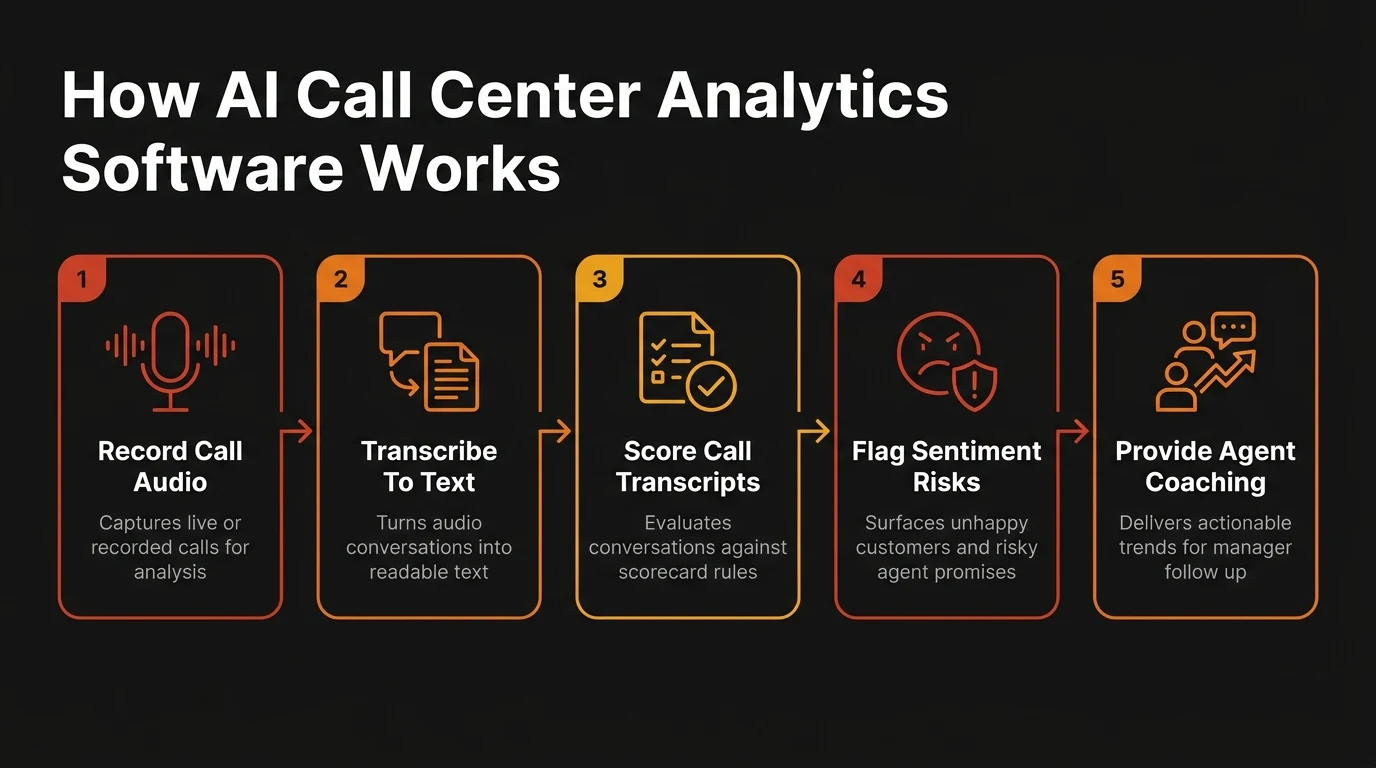
Vendors use three overlapping labels:
Speech analytics turns spoken calls into searchable text and finds words, topics and tone. Sentiment analysis, a common part of it, estimates whether the caller sounds satisfied or upset.
Conversation intelligence is the broader term for spotting patterns across calls, chats and emails, often for sales, product and service teams.
Automated quality assurance (auto QA) scores each conversation against a scorecard, for example greeting, identity check, required disclosure and agreed next step.
All three start from the same transcript, so a product can be strong at one label and weak at another.
Standard contact center reporting is different. Queue volume, wait times and abandoned calls show what happened. They do not show what was said, what was promised or why the customer called.
Timing also matters. Wallboards show live numbers such as calls waiting. In-call prompts give the agent live guidance during the conversation. Post-call evaluation scores completed calls for coaching and compliance monitoring. These three are often sold under one name, so ask which one a demo is showing.
The category is crowded. According to CMP Research, a contact center research firm, as reported by AmplifAI, a contact center software vendor, its Q1 2026 Prism Report evaluated 22 automated QA/QM solution providers. QM stands for quality management. With that many options, buyers need a clear filter before booking demos.
Manual QA usually reviews only a few percent of calls, so most conversations are never checked. That matters most for the calls you most need to find: upset customers who leave without a resolution. Automated review of every recorded call changes what a supervisor can see, not just how fast she sees it.
Start with a supervisor's real question: which of yesterday's unhappy callers left without a fix? With manual sampling she cannot answer it. The Lithuanian site atsiliepsiu.lt reports that managers manually sample at best 2% to 3% of call recordings, and that manual review leaves 95% to 98% of business calls completely unmonitored.
Our own data shows what that gap looks like. Our published study, AI Call Analysis: What 10,661 Real Customer Service Calls Reveal, covers 10,661 calls, 522.7 audio hours, 22 companies, 112 agents and 58,631 criterion checks. The published summary does not state the collection period. In that dataset, 962 calls were labelled both upset and unresolved.
A uniformly random 2% sample would contain about 19 of those calls on average (962 x 0.02). This is an illustration of coverage, not a measure of how accurate a human reviewer or an AI system is. The point is simple: a small sample cannot list the unhappy callers, because most of them are never in it.
Full coverage lets the supervisor do three things. She can find the upset and unresolved calls from yesterday, replay the moment things went wrong, and assign a callback before the customer complains elsewhere.
Coverage alone does not separate products, though. Other vendors make the same claim. Level AI, in a claim reported by Cresta, a competing vendor, says it replaces 1-3% manual sampling with 100% QA coverage using its QA-GPT model. What separates vendors is the evidence behind each score and the workflow after it.
Source: atsiliepsiu.lt, Level AILevel AI replaces manual sampling with full QA coverage: of call recordings manually sampled at best 2% to 3%; of business calls left completely unmonitored 95% to 98%; QA coverage with Level AI using QA-GPT 100%
We picked ten platforms that buyers most often compare for call analytics and QA, and described each one in the same format. Every profile covers the ideal buyer, the actual workflow, the pricing unit and its conditions, one dated review signal and when to choose another product.
G2 snapshots were checked on 21 November 2026. Suite ratings cover routing, telephony and other modules, not only analytics, so read them as general satisfaction.
Individual reviews are paraphrased. Many are incentivized, meaning the reviewer received a small reward for writing them. We do not publish reviewer names.
Prices are given in each vendor's published currency and terms and were rechecked before publication. Recheck them again before you buy.
Parnidia is the publisher of this guide. Our call analytics product has no product-level G2 reviews yet, so its profile relies on documented features and pilot terms.

Parnidia AI Call Analytics scores every recorded call against your own checklist and links each score to the exact moment in the audio. It is built for voice teams that want QA and coaching on the phone system they already use, not a new contact center platform. It does not offer live in-call prompts.
Workflow. As described on our product page, the steps are:
A supervisor defines a weighted checklist, such as greeting, identity check, solution offered and agreed next step.
The AI scores each criterion on every call.
A click on the timestamp plays the moment points were given or taken away.
Agents see their own calls and scores for self-coaching.
Unhappy callers and risky promises are flagged for follow-up.
Managers ask trend questions by team, topic or period.
Integrations. We connect to the PBX (the business phone system that routes and records calls), including 3CX, Genesys and other PBXs with an API (a standard way for software to exchange data). Setup is free for the Lithuanian telecom providers Tele2, Telia, Bitė and Baltneta (TellQ). Other PBX work, for example on a cloud phone system such as Aircall or CloudTalk, is quoted per project.
Pricing unit. Monthly plans with included audio hours, starting with 40 hours for 99€ for one language and up to ten agents. Full figures are in the cost section and on our pricing page. A 14-day trial covers up to 10 hours of your own recordings before any phone integration.
Language and privacy. Our product page reports 98% average transcription accuracy, including Lithuanian. We have not published the test set behind that figure, so treat it as a vendor claim about transcription, not about scoring accuracy. Calls are processed in the EU, as stated on our trust page.
Honest limits. Parnidia is not a full CCaaS suite, gives no real-time agent guidance. Choose another platform if live prompts are the priority.
Genesys Cloud CX is the right analytics choice when routing, staffing and quality already run inside Genesys. Its speech and text analytics track sentiment and topics across interactions, but they depend on the licence tier you hold.
Workflow. Supervisors see topic and sentiment trends next to routing and workforce data in the same platform. That suits teams who want one vendor for phones, staffing and quality.
Pricing. The Genesys pricing page lists CX 3 at $155 per user per month billed annually. The cheaper CX 1 headline does not cover the same analytics workflow, and the Genesys help center lists which licences qualify for these features.
Review signal. According to G2, Genesys Cloud CX holds 4.4 stars from 1,589 reviews. An enterprise reviewer in January 2026 praised high-volume routing but wanted more detailed reporting. On Gartner Peer Insights, a review site run by the research firm Gartner, Genesys Cloud CX has a user rating of 4.4 based on 15 ratings.
Purchasing check. Ask your admin which analytics entitlements you already own before buying anything new. A Genesys team may already pay for what it needs.
Choose something else when replacing telephony is out of scope and you only need call QA.
Five9 suits contact centers that want quality scores, workforce management and performance dashboards in one Five9 environment. Its automated quality management evaluates interactions, and its unified dashboard helps connect complaints with staffing data.
Workflow. A manager can check whether a rise in complaints lines up with understaffed shifts, then open the scored interactions behind it.
Pricing. The Five9 pricing page lists Digital at $119 and Core at $159 per concurrent seat per month, with a 50-seat minimum for the published prices. A concurrent seat is a login in use at the same time, so two part-time agents on different shifts can share one.
Market note. Five9 has acquired Level AI, which Forrester, an industry research firm, describes as part of a wider consolidation in conversational AI for customer service.
Review signal. According to G2, Five9 holds 4.2 stars from 673 reviews. A customer service manager in November 2026 valued tracking contact reasons but reported poor remote-desktop performance. On Gartner Peer Insights, the Five9 Intelligent CX Platform has a user rating of 4.5 based on 12 ratings.
Demo question: "Which quoted product scores our calls automatically, how many seats are billable and what usage is metered?"
Observe.AI is a strong fit for enterprise QA teams that need detailed scoring rules and ongoing calibration at high volume. It scores calls with supporting evidence and also offers live agent guidance.
Workflow. Its auto QA uses rules, call data and conversation context to complete evaluations, and QA specialists then calibrate the results. Calibration means supervisors and the system agreeing on how a criterion should be scored, so the same call gets the same result from both.
Pricing. Observe.AI describes its pricing as custom, based on deployment, conversation volume and channels. There is no public list price to compare.
Review signal. According to G2, Observe.AI holds 4.5 stars from 308 reviews. A reviewer in October 2026 valued the broader QA coverage but saw false flags caused by background noise, accents and technical jargon, and said the rules needed tuning.
Purchasing check. Bring your hardest recordings to the demo: noisy lines, strong accents, industry terms. Ask how a wrong flag is corrected and whether the system tracks how often the same error comes back.
Choose something else when you have no dedicated QA specialists to maintain rules, or when you need a published price before talking to sales. Observe.AI earns its place when a full QA team will run calibration every week.
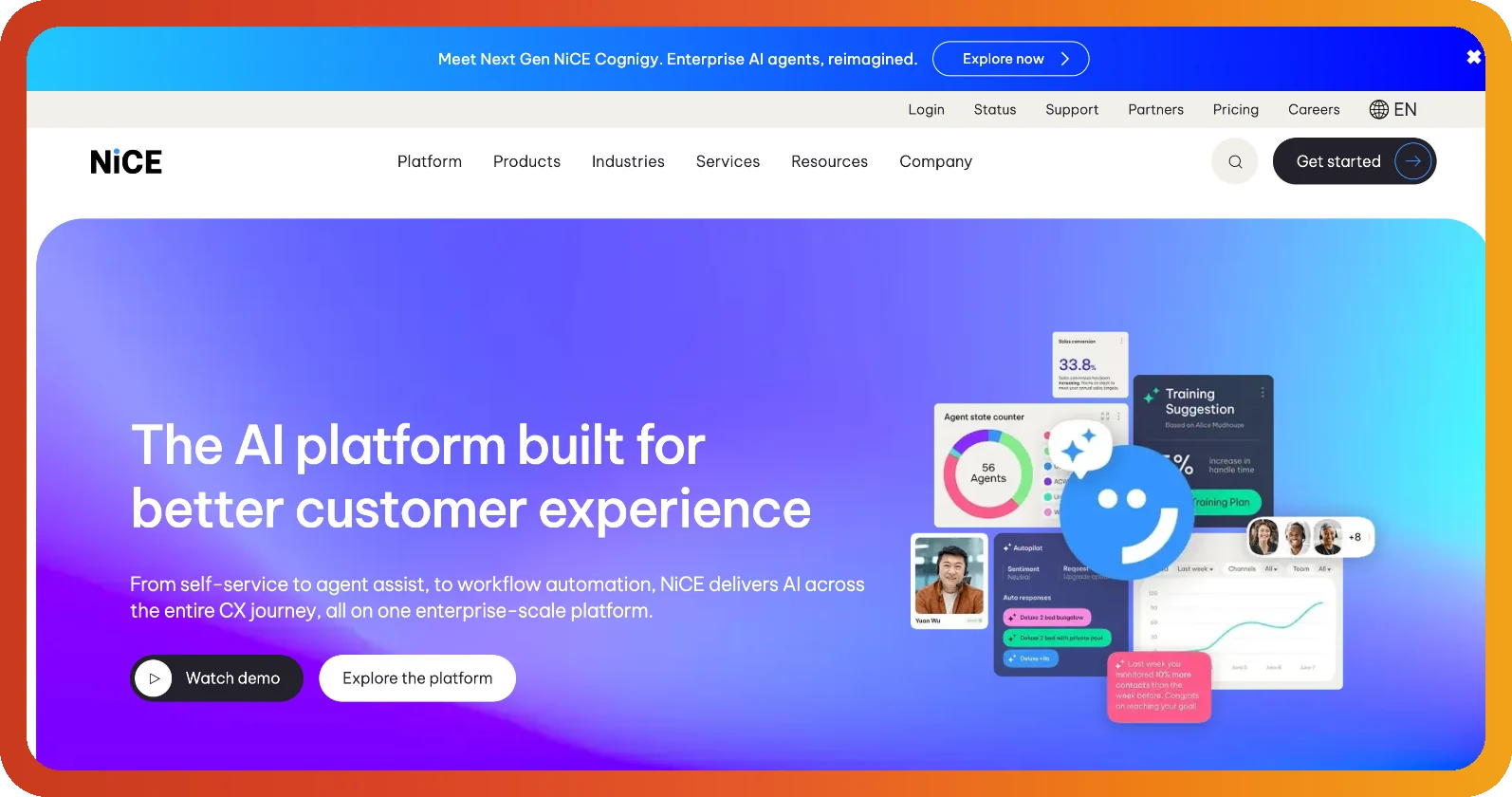
NiCE CXone fits large operations that want to analyse voice and digital conversations together and feed results into company-wide reporting. Its Interaction Analytics finds topics, sentiment and recurring service bottlenecks, and analysts can export the data.
Workflow. Analysts look for a service problem across calls, chats and emails, then export interactions with their labels to other reporting tools.
Pricing. The NiCE pricing page lists the Omnichannel Suite at $110 and Core Suite at $169 per agent per month. Neither price alone quotes an analytics deployment, because the package grid separates included, add-on and usage-based features.
Analyst standing. According to Gartner, as reported by Cresta, NICE CXone was named a Leader in the Gartner Magic Quadrant for Contact Center as a Service for 11 consecutive years through 2025. The Magic Quadrant is Gartner's annual vendor ranking.
Review signal. According to G2, NiCE CXone holds 4.3 stars from 1,730 reviews. A systems administrator in February 2026 liked the visibility into outbound work but found reports hard to interpret.
Demo question: "Can we follow a complaint from the trend chart to the original call and export the agent data?"
Talkdesk works best for teams whose supervisors already live in Talkdesk. Interaction Analytics finds topics and sentiment, while the separate QM Assist add-on handles automatic scoring.
Two products, two jobs. According to Talkdesk's support documentation, Interaction Analytics captures conversations and tracks topics and sentiment, while QM Assist scores calls with evaluation forms. They may need separate licences, so confirm both are in the quote.
Timing. QM Assist offers near-real-time scoring, meaning the evaluation arrives shortly after the call. That is not the same as a live prompt telling the agent what to say during the call.
Pricing. The Talkdesk editions page lists Voice Essentials at $105 per user per month under a three-year minimum commitment, with telecom and usage charged extra.
Review signal. According to G2, Talkdesk holds 4.4 stars from 2,609 reviews. A banking reviewer in November 2026 liked the interface but exported data to another tool to combine reports.
Purchasing check. Ask the vendor to build your cross-dataset report in the edition you would buy.
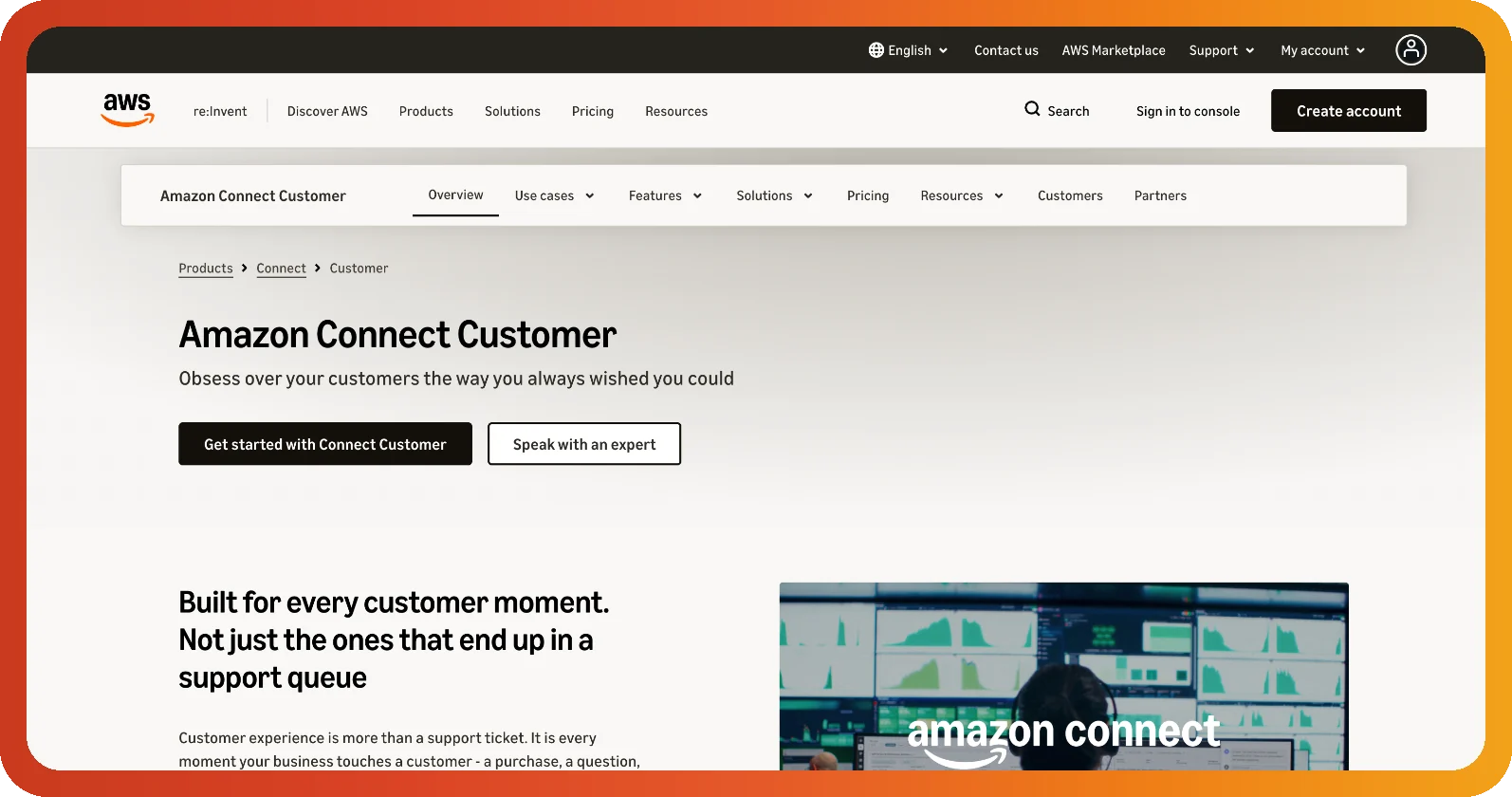
Amazon Connect, now called Amazon Connect Customer, suits AWS teams that want programmable analytics with pay-per-use pricing. The former Contact Lens features continue as conversational analytics and agent evaluations, and external phone systems can be connected.
Pricing. The AWS pricing page shows $0.038 per voice minute plus telephony. Under Customer Basic, the AWS pricing appendix lists analytics at $0.015 per minute and evaluations at $12 per evaluated agent per month. External voice adds connector charges.
A common myth. You do not have to move your whole phone system to use it. AWS supports external voice, so calls from another system can be analysed, with separate connector costs.
Review signals. According to G2, Amazon Connect holds 4.4 stars from 94 reviews. A small-business reviewer in May 2026 said advanced setups needed deeper AWS knowledge. On Gartner Peer Insights, Amazon Connect has a user rating of 4.5 based on 39 ratings.
Purchasing check. Decide who owns implementation and reporting before comparing per-minute rates. A low unit price can hide weeks of developer time.
Balto is the pick when agents need the next prompt while the caller is still talking. It guides agents through objections and required disclosures live, and also supports post-call QA and coaching.
Workflow. When a caller raises an objection, Balto can show the agent a suggested answer or a reminder of a disclosure they must read. Managers then review scores and coach after the call.
Pricing. According to Balto's pricing page, Balto Plus is priced per user, including managers. No numeric seat price is published, and its automated voice agent has separate minute-based pricing.
Review signal. According to G2, Balto holds 4.8 stars from 596 reviews, the highest rating in this list. A reviewer in September 2026 used live prompts for scripts and objections but sometimes saw a late or wrong prompt.
Demo question: "If a sales call turns into a complaint, does the right prompt appear in time?" Test this on mixed calls, not on a clean demo script.
Where Balto beats us. Live guidance is where Balto is stronger than Parnidia. If your main goal is to change what an agent says before the caller hangs up, Balto is the better fit. If you mainly need to check what was promised on completed calls, post-call review is the simpler and cheaper start.
CallMiner Eureka suits organisations with a dedicated analytics team that investigates why customers call and shares findings with product and operations. It offers configurable searches, topic discovery and BI connections, with a separate real-time alert product.
Workflow. Analysts build searches and categories, find the reasons behind avoidable calls, and send results to BI tools, the reporting tools a company uses to combine data from many systems. CallMiner RealTime adds alerts during calls.
Pricing. CallMiner's pricing FAQ describes tailored bundles based on users or interaction volume, positioned from midsize teams of more than 60 agents up to global enterprises. That is vendor positioning, not a fixed minimum.
Review signal. According to G2, CallMiner Eureka holds 4.5 stars from 236 reviews. A reviewer in October 2026 valued custom scorecards and insights across the business but described a steep learning curve.
Purchasing check. Budget analyst time to configure searches. Without it, the platform's depth goes unused.
Demo question: "Can a manager investigate a new reason for calling without an analyst building a category first?"
Level AI fits established QA teams that want AI and human reviewers to contribute to one scorecard. Objective items are graded automatically, while reviewers score questions that need judgment, such as empathy.
Workflow. According to Level AI's quality assurance product page, teams build custom scorecards where the AI grades factual items and human reviewers answer nuanced ones, and both feed the same final score. That suits a compliance check with a clear yes or no next to a coaching question about tone. We found no public numeric list price.
Ownership. Five9 has acquired Level AI, as Forrester notes in its market analysis. Buyers who value independence from any one contact center platform should ask about the roadmap for non-Five9 customers.
Review signal. According to G2, Level AI holds 4.6 stars from 222 reviews. A financial-services reviewer in June 2026 found setup easy but was still refining prompts to get the desired scoring.
Purchasing check. Ask who maintains the scorecard prompts after launch, you or the vendor.
Demo question: "What happens to the final score when a reviewer disagrees with the AI?"
Live guidance changes what an agent says before the caller hangs up. Post-call review checks what was promised and coaches the agent afterwards with the actual audio. Most teams need one far more than the other, and buying both when you need one adds cost and setup work.
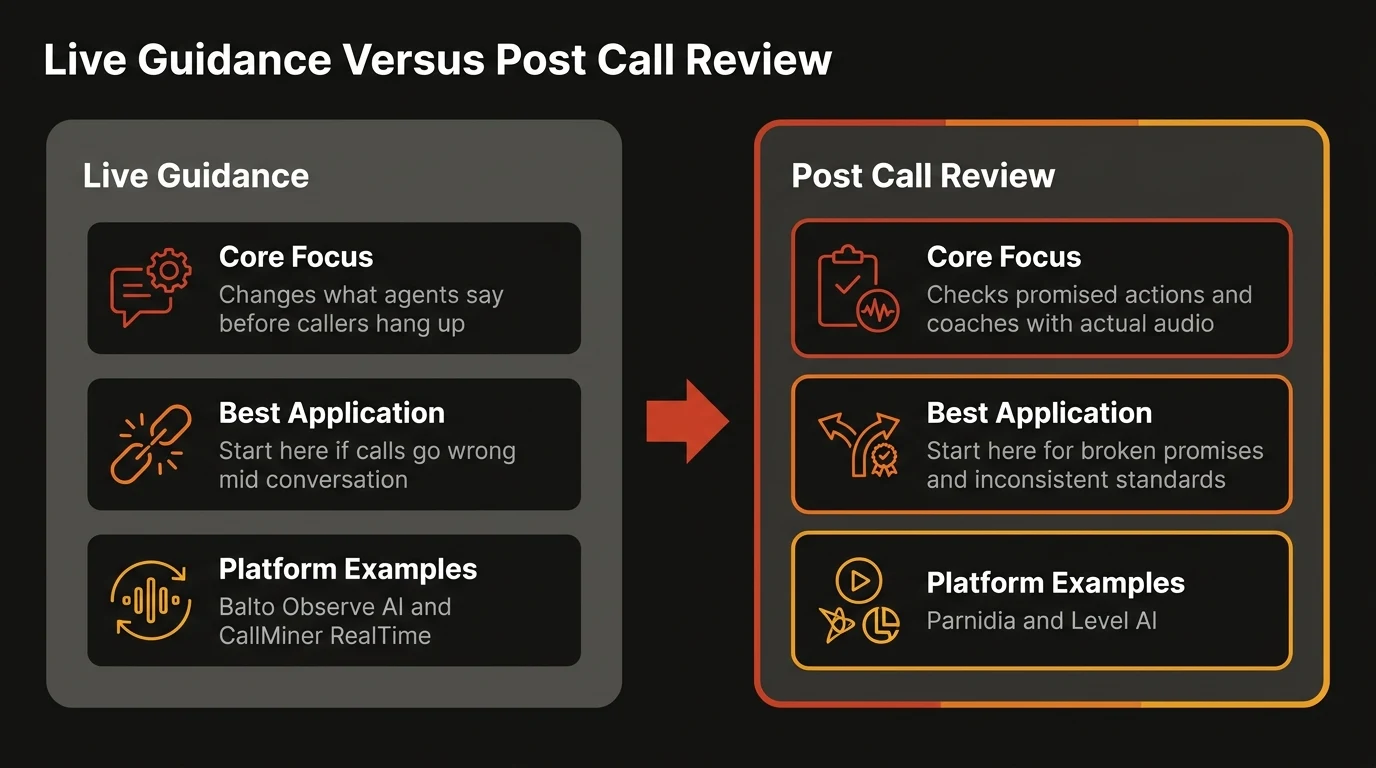
Here is where each platform sits:
Live first: Balto, Observe.AI and CallMiner RealTime.
Post-call first: Parnidia and Level AI.
Suite modules: Genesys, Five9, NiCE, Talkdesk and Amazon Connect, where features depend on your licence.
Vendors push live features because buyers are spending on them. Verint, a customer engagement software company, reports that 87% of contact center leaders are increasing spend on agent assist AI. Rising spend does not mean every team needs it. Real-time agent assist also needs fast, reliable integration with the live call, which is more setup than scoring recordings.
A simple test decides it. If your main problem is calls going wrong mid-conversation, such as missed disclosures on sales calls, start with live guidance. If your main problem is broken promises, missed callbacks and inconsistent standards between agents, start with post-call review. You can add the other later once the first one shows results.
Headline seat prices rarely price the analytics workflow, so the only fair comparison uses the same seats, hours and languages for every vendor. The three examples below do that for a small team, a mid-size team and an AWS setup. Recheck every price before you buy.
Our plans, as listed on the Parnidia pricing page:
| Plan or extra | Monthly price | Included | Extra hour |
|---|---|---|---|
| Start | €99 | 40 hours, one language, up to ten agents | €2.50 |
| Growth | €299 | 130 hours, all languages, unlimited agents | €2.30 |
| Branch filtering | €99 | Filter results by branch | n/a |
| Weekly coaching plans | €19 per agent | Weekly coaching plan per agent | n/a |
Example A: eight agents, one language, 100 hours a month. Start costs €99 + 60 x €2.50 = €249 per month. Growth costs €299. At 120 hours, Start and Growth cost the same, €299. Above that, Growth is cheaper.
Example B: 25 agents, 130 hours. Start allows only ten agents, so this team needs Growth at €299 per month. Adding weekly coaching plans for five agents brings it to €394.
Example C: Amazon Connect Customer Basic, eight agents, 100 hours. 100 hours is 6,000 minutes. Using the AWS appendix rates of $0.015 per minute and $12 per evaluated agent, analytics costs $90 and evaluations for eight agents cost $96. That is $186 for those two features before telephony, external voice connectors and implementation. For external voice, the same appendix lists $100 per connector per day, which can change the comparison completely.
Keep currencies as listed. A per-minute dollar price and a monthly euro plan are not directly comparable until you add every charge.
Procurement shortcut. For a suite you already run, ask for the extra annual cost of the same QA workflow. For a new purchase, ask for the all-in first-year cost covering seats, viewer logins, recorded hours, languages, data retention, setup and telecom fees. Put those inputs next to every quote.
AI call analytics pays for itself when it replaces manual listening time and catches problems that would otherwise cost you customers or compliance fines. Estimate payback from your own numbers: supervisor hours spent on QA today, the value of a retained customer, and the cost of one missed compliance issue.
For the money, buyers get four things: full coverage instead of a sample, faster coaching, fewer unresolved complaints slipping through, and a record of what agents promised.
The hours side. Manual listening is slow. According to atsiliepsiu.lt, reviewing 5% of 2,000 monthly calls takes nearly 7 hours of listening time per month, and that still leaves most calls unchecked. Add the time to fill in scorecards and hold coaching sessions.
The risk side. In regulated settings, wider coverage changes what you can prove. Verint reports that its customer Fiserv increased compliance coverage from 1% to 96% using Verint solutions. That is a Verint customer, not a Parnidia one, but it shows the scale of change full coverage allows.
The formula. Divide the monthly plan cost by the sum of two values: supervisor hours saved per month times their loaded hourly cost, plus the estimated monthly value of recovered calls. If the result is below 1, the tool saves more than it costs each month. Fill in your own figures; do not borrow results from a vendor's case study.
A general benchmark. G2 reports that companies achieve an average return on investment within 11 months of adopting contact center software. That figure covers contact center software broadly, not QA tools specifically, so use it only as a sanity check.
For a wider view of where service budgets go, see our guide on how AI lowers customer service costs.
The fastest way to separate vendors is to run the same pilot on 30 to 50 of your own recordings. Measure whether each platform received the calls, heard the details correctly, applied your checklist like your supervisors would, and let you verify a disputed score quickly.
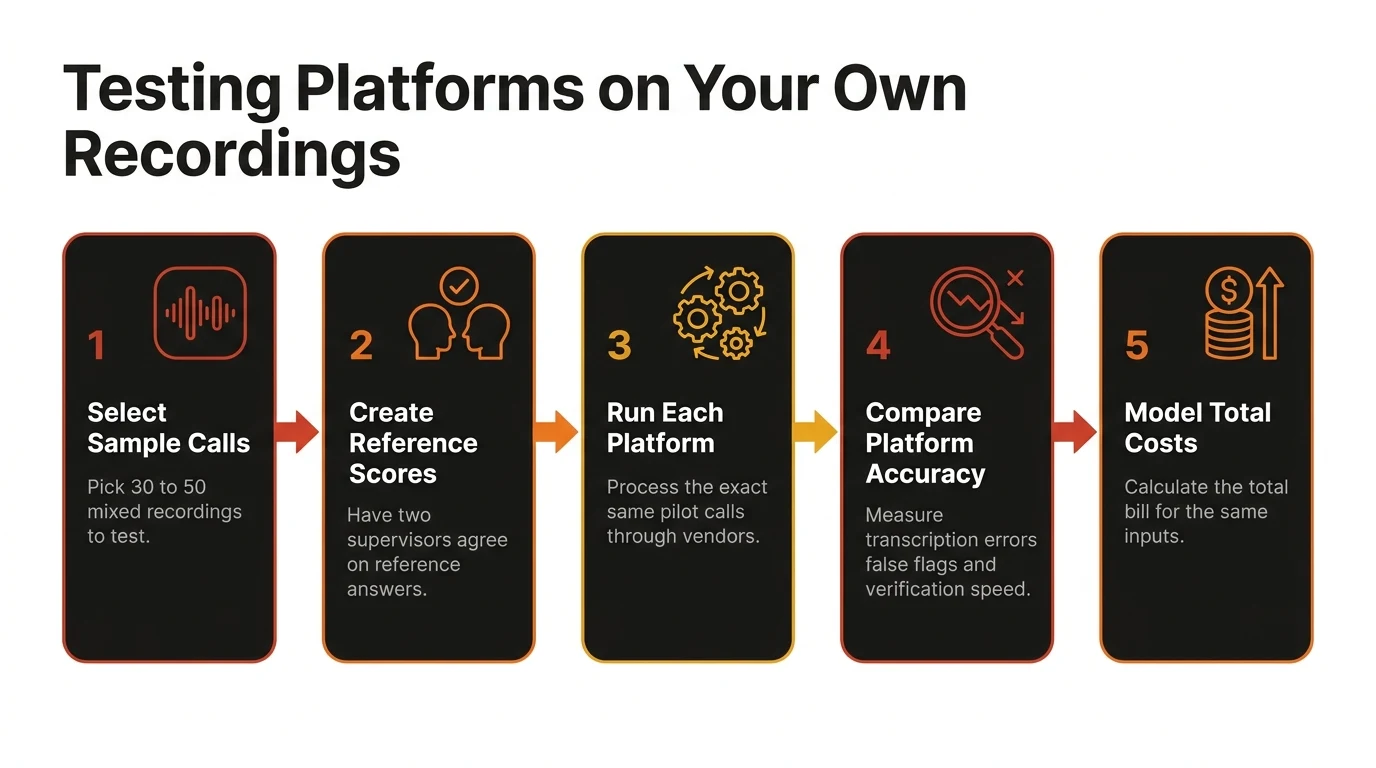
Step 1: pick a mixed set. Include short and long calls, noisy audio, transferred calls, and calls with names, dates and amounts. Include good and bad examples of each key criterion. Hold some calls back from setup so the final test uses calls the vendor has not seen.
Step 2: build a reference. Have two supervisors score the same calls independently, then agree on one reference answer per criterion.
Step 3: run each platform and measure.
| Question | What to measure |
|---|---|
| Did it receive the calls? | Usable scored calls divided by recorded calls |
| Does it hear the details? | Errors on names, amounts and negation, such as "can" vs "can't" |
| Does it apply your checklist? | False flags and missed failures per criterion |
| Can you check a score? | Minutes to reach the audio and verify the evidence |
| Does the bill match? | Total cost for the same seats, hours and languages |
Look at results per criterion, not only the average. An average score can hide a system that misses a mandatory disclosure every time.
If a vendor reports word error rate, the share of words transcribed wrongly, ask how it was counted. A low word error rate can still hide one wrong amount that matters more than ten small errors.
This is a pilot design, not a statistically representative benchmark. It works with any vendor, including us, and it turns demo claims into numbers you have measured yourself.
Choose a full suite such as Genesys, NICE, Five9 or Talkdesk if you are replacing the whole contact center. Choose Balto if live guidance is the priority, CallMiner if analysts need deep cross-channel discovery, and Amazon Connect if you are an AWS team. Choose Parnidia if you want transparent, customisable QA and coaching on calls from the phone system you already run.
Genesys Cloud CX: routing and quality already live in Genesys; check what your licence includes.
Five9: you want QA, staffing and dashboards together and have the seat count.
Observe.AI: a dedicated QA team needs detailed rules and calibration.
NiCE CXone: you analyse voice and digital channels together and export to analysts.
Talkdesk: supervisors already work in Talkdesk; confirm the scoring add-on.
Amazon Connect: your team builds on AWS and owns the setup.
Balto: agents need prompts during the call.
CallMiner Eureka: an analytics team investigates why customers call.
Level AI: AI and human reviewers must share one scorecard.
Parnidia fits when you want every recorded call scored against your own checklist, timestamped evidence behind each score, flags for unhappy callers and risky promises, published plans, EU processing and no platform migration. If you are weighing a managed service against building it yourself, read Parnidia vs. Zendesk. If you are also losing calls that nobody answers, see AI voice agent vs human receptionist.
The quickest way to judge fit is to see your own checklist applied to real calls. Book a demo and we will score your calls against your criteria.
There is no single best platform; the right one depends on whether you need post-call quality review, live agent guidance or a full contact center replacement. Parnidia AI Call Analytics fits teams that want every recorded call scored against their own checklist on the phone system they already use. Full suites suit companies replacing their whole contact center, and live guidance tools suit teams whose calls go wrong mid-conversation. Run a pilot on 30 to 50 of your own recordings before deciding.
Most serious call analytics tools are paid, because transcribing and scoring audio costs money to run. Many vendors offer trials or pilots instead of a free plan. Parnidia offers a 14-day trial that covers up to 10 hours of your own recordings before any phone integration. Use a trial to test accuracy on your real calls rather than relying on a free tool with limits you cannot see.
Large contact centers usually run a cloud contact center suite such as Genesys Cloud CX, NICE CXone, Five9, Talkdesk or Amazon Connect for routing, phones and agent desktops. Smaller teams often use a business phone system such as 3CX or a phone line from their telecom provider. Many of both groups add a separate analytics or QA tool on top rather than relying on the suite's built-in features. Choose based on your phone setup and whether you need post-call review or live guidance.
Yes. Several analytics tools connect to existing phone systems and suites through integrations, so you keep your current routing and agents' setup. Parnidia connects to 3CX, Genesys and other phone systems with an API, with free setup for Tele2, Telia, Bitė and Baltneta (TellQ) and other phone systems quoted per project. Ask any vendor which systems it supports, who does the setup and what it costs before you sign.
Call center analytics is the broad term and often means standard reports such as queue volume and wait times. Speech analytics turns spoken calls into searchable text and finds topics, keywords and tone. Conversation intelligence looks for patterns across calls, chats and emails, often for sales, service and product teams. Automated quality assurance builds on these by scoring each conversation against a scorecard.
In a good system, yes, and you should test it in any demo. The supervisor should be able to jump to the exact moment in the call behind a score, listen, and correct it if the AI was wrong. In Parnidia, each criterion score links to a timestamp so the supervisor can replay the moment points were given or taken away. Also ask each vendor how corrections are recorded and whether repeated errors are tracked.

Leo Mazzura
Co-founder & CEO @ Parnidia

Book a demo. We’ll show examples from similar clients and walk you through the software.


