
How to connect a Voiceflow chatbot to 18 platforms in 2026, from Shopify and WhatsApp to HubSpot and Zendesk: what is native, what needs a connector, and a done-for-you alternative.

Note: Parnidia builds AI chat agents on its own platform, not on Voiceflow. This is an independent guide based on Voiceflow's public documentation, checked in October 2026.
Voiceflow's documentation lists 9 native integration tools: Airtable, Gmail, Google Sheets, HubSpot, Make, Salesforce, Shopify, Twilio and Zendesk. Everything else connects through the API tool, custom Functions, an MCP server or a third-party connector.
That split matters. A native tool is set up in a few clicks. Anything else means building and maintaining the connection yourself.
This guide covers 18 platforms in 5 groups:
For each one you get the integration path, what is native and what is not, and the edge cases to plan for. At the end there is a short section for teams that would rather not build and maintain this themselves.
Every Voiceflow integration uses one of four building blocks.
Shopify is the only e-commerce platform with a native Voiceflow tool. Every other store platform connects through the API tool plus the chat widget.
Use the native Shopify tool. It can get products, get orders, update orders and cancel orders. You can also import your catalog through Knowledge base, Add data source, Shopify, so the agent answers product questions without calling the API every time.
There is no native WooCommerce tool, so you use the WooCommerce REST API through the API tool.
Magento connects through its REST or GraphQL APIs. There is no ready-made app.
BigCommerce connects through its REST APIs and the API tool.
Create an API account in BigCommerce, store the token as a secret, and build API tools for catalog search and order lookup. Then embed the widget in your theme.
PrestaShop connects through its web service API. It is popular in Europe and fully open source.
Enable the web service in PrestaShop, generate a key with read access to products and orders, and call endpoints such as GET /api/products from the API tool.
OpenCart also connects through its API and the API tool.
Create an API user in OpenCart, then build API tools that call product and order endpoints. Many OpenCart stores run older versions, so test every endpoint before you go live.
On Wix, the integration is the chat widget. Publish your agent, copy the snippet from the Widget tab and add it in Wix's custom code settings so it loads on all pages.
For store data (products, orders), you need the Wix APIs and the API tool.
On Webflow, paste the widget snippet into Site Settings, Custom Code, Footer code. The agent then appears on every page.
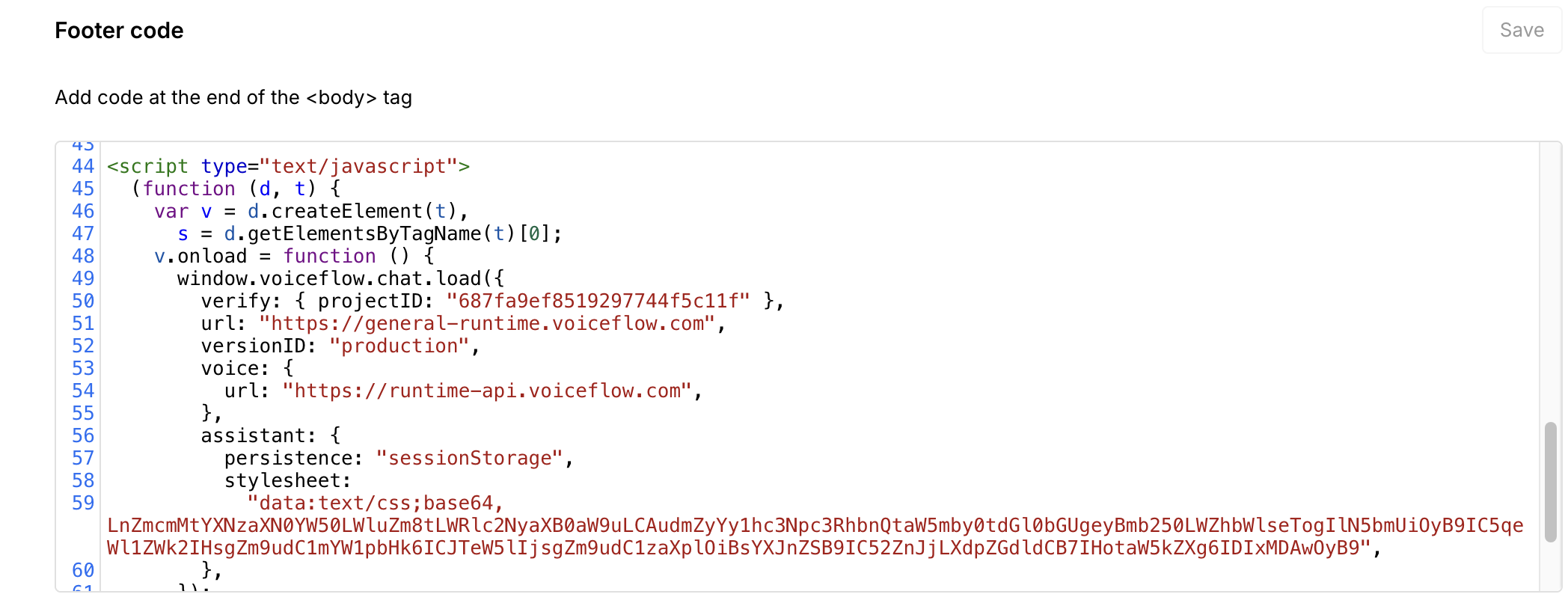
For a custom stack (headless React, Node.js, Laravel), embed the widget in your frontend and expose your own endpoints for products, orders and customers. If you need a fully custom chat UI, Voiceflow's Dialog API lets you run the agent behind your own interface.
Voiceflow has no native channel for Messenger, Instagram or WhatsApp in 2026. You connect them through a third-party connector or your own code on top of the Dialog API.
Common options:
Whichever you choose, Meta's rules apply: a business account, connected pages and permissions, and possibly business verification.
Connect Messenger through a Meta connector such as FlowBridge or Tixae.
Pro tip: make sure no other tool, such as ManyChat, is actively connected to the same page's Messenger. Two automations on one page can stop AI replies from going out.
Video walkthrough of connecting an AI chat agent to Messenger:
Instagram uses the same Meta messaging setup as Messenger, so the steps are almost the same.
Keep in mind Instagram's 24-hour messaging window: you can only follow up with users who messaged you within the last 24 hours.
Voiceflow's old Twilio-hosted WhatsApp channel no longer accepts new projects (deprecated since 8 November 2023). New WhatsApp agents use a community connector or a custom build on the WhatsApp Business API.
For a broader look at automating all three Meta channels, read how to automate Instagram, Facebook and WhatsApp DMs with AI.
SMS and phone calls are native in Voiceflow. You can connect a phone number from Voiceflow, Twilio, Vonage or Telnyx and handle inbound and outbound calls.
Open Phone numbers, click Create number and choose Twilio. Enter the phone number, Account SID and Auth Token.
user_id variable, so you can recognise returning users.Phone number docs. If phone is your main channel, see why AI voice agents outperform human receptionists.
HubSpot and Salesforce have native Voiceflow tools. Pipedrive connects through the API tool or Make.
Use the native HubSpot tool. Its documented actions are create contact, create lead and create ticket.
Implementation tips:
Salesforce now has a native Voiceflow tool. It can create and update leads, contacts and cases, and add comments to cases.
For queries the tool does not cover (for example a SOQL lookup to check for an existing contact), use the Salesforce REST API through the API tool. Salesforce tool docs.
Pipedrive has no native tool. You have two routes.
/persons and /deals with the API tool.This video shows the Make route step by step:
Best practices:
Zendesk has a native Voiceflow tool. Intercom connects through the API tool or an MCP server.
The native Zendesk tool can create, update and find tickets, add public or private comments, find the latest comment, and look up users, groups and organizations.
Zendesk tool docs. For many stores Zendesk is more than they need: see Parnidia vs Zendesk.
Intercom is not on Voiceflow's native tool list. Connect it through the Intercom REST API with the API tool, or through an MCP server if you use one.
Typical calls: create a conversation or ticket, add a note with the chat transcript, and hand the conversation to a human. If Intercom's pricing is the real problem, read Intercom too expensive? 5 better alternatives.
If you want the integrations without building and maintaining them, a done-for-you AI chat agent is the alternative. Parnidia's team sets up the agent, connects your store and channels, and keeps it running.
What that means in practice:
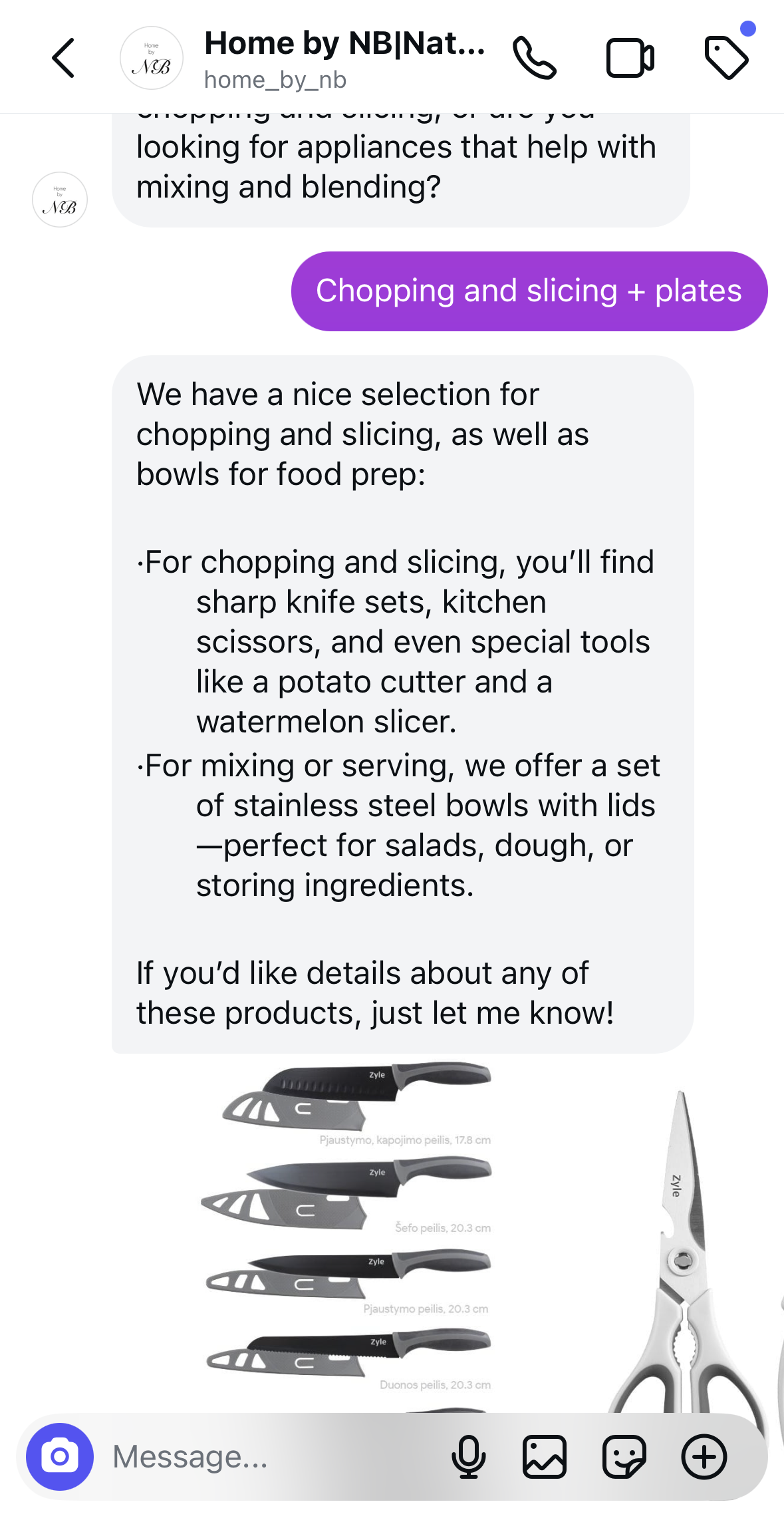
Results from live clients: Open24.lt's AI chat agent fully resolved 74% of conversations in May 2026, and Home by NB holds an 87% CSAT from 805 ratings. Below is Home by NB's agent answering on Instagram.

Learn more about the AI chat agent, or compare options in the best AI chatbots for e-commerce in 2026.
Voiceflow is a strong choice if you want to build and own the agent yourself. Shopify, HubSpot, Salesforce, Zendesk and Twilio are native. Messenger, Instagram and WhatsApp need a connector or custom code.
Before you start, list every platform your agent must touch and check which ones are native. That list tells you how much building and maintenance is ahead.
If you would rather have it built and run for you, book a demo. We learn how your customer service works today and show you how the AI chat agent and its integrations would work for your store.
Not natively for new projects. Voiceflow's Twilio-hosted WhatsApp channel stopped accepting new projects on 8 November 2023. Today you connect WhatsApp through a community connector such as FlowBridge, or deploy Voiceflow's open-source WhatsApp example on the Dialog API with your own WhatsApp Business number. Plan for Meta business setup and, possibly, business verification before going live.
You connect it through a third-party Meta connector, because Voiceflow has no native Instagram channel. Voiceflow's own tutorial uses Tixae: create a Voiceflow API key, paste it into the connector, then link your Instagram business account and Facebook business page in Meta Business Suite and grant messaging permissions. Replies follow Instagram's 24-hour messaging window.
Yes. HubSpot and Salesforce are native Voiceflow tools. The HubSpot tool can create contacts, leads and tickets, and the Salesforce tool can create and update leads, contacts and cases. Pipedrive has no native tool, so you connect it through the API tool or trigger a Make scenario with Voiceflow's native Make tool.
With Voiceflow you build, connect and maintain the agent yourself, including third-party connectors for Instagram, Messenger and WhatsApp. A done-for-you AI chat agent is set up and run by the provider. For example, Parnidia's Growth plan costs 299€/month for 1,000 conversations and includes Instagram and Messenger DM automation, with store and CRM integrations set up for you.

Leo Mazzura
Co-founder & CEO @ Parnidia

Book a demo. We’ll show examples from similar clients and walk you through the software.


